Adapter to aircraft
Plug the portable adapter into the aircraft’s headset jack.
Use the portable adapter across multiple aircraft or add a dedicated panel jack.
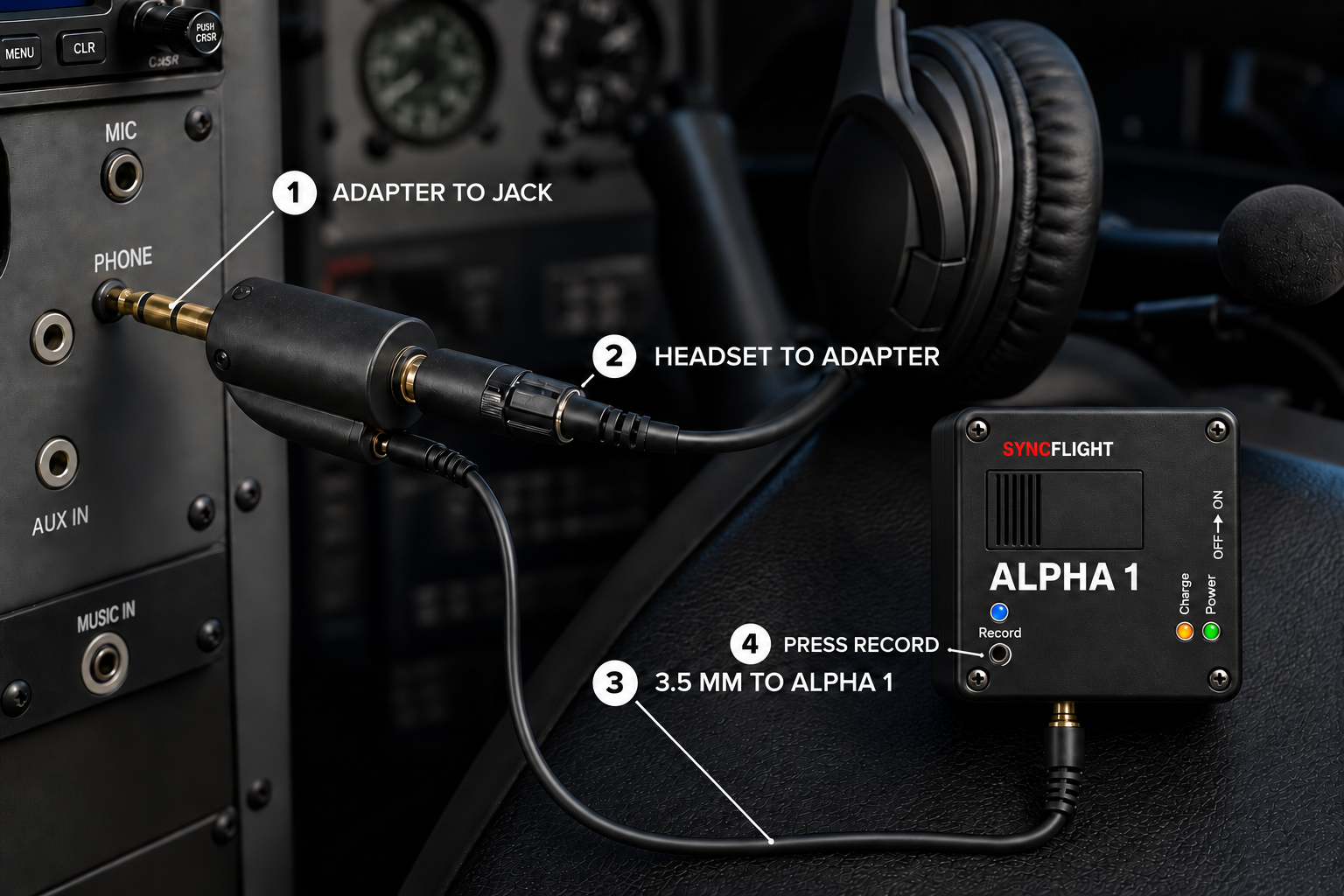
Plug the portable adapter into the aircraft’s headset jack.
Plug your aviation headset into the adapter’s main socket.
Connect the 3.5 mm cable between the adapter and Alpha 1, then turn it on.
Press record. The blue LED confirms audio is being saved to the SD card.
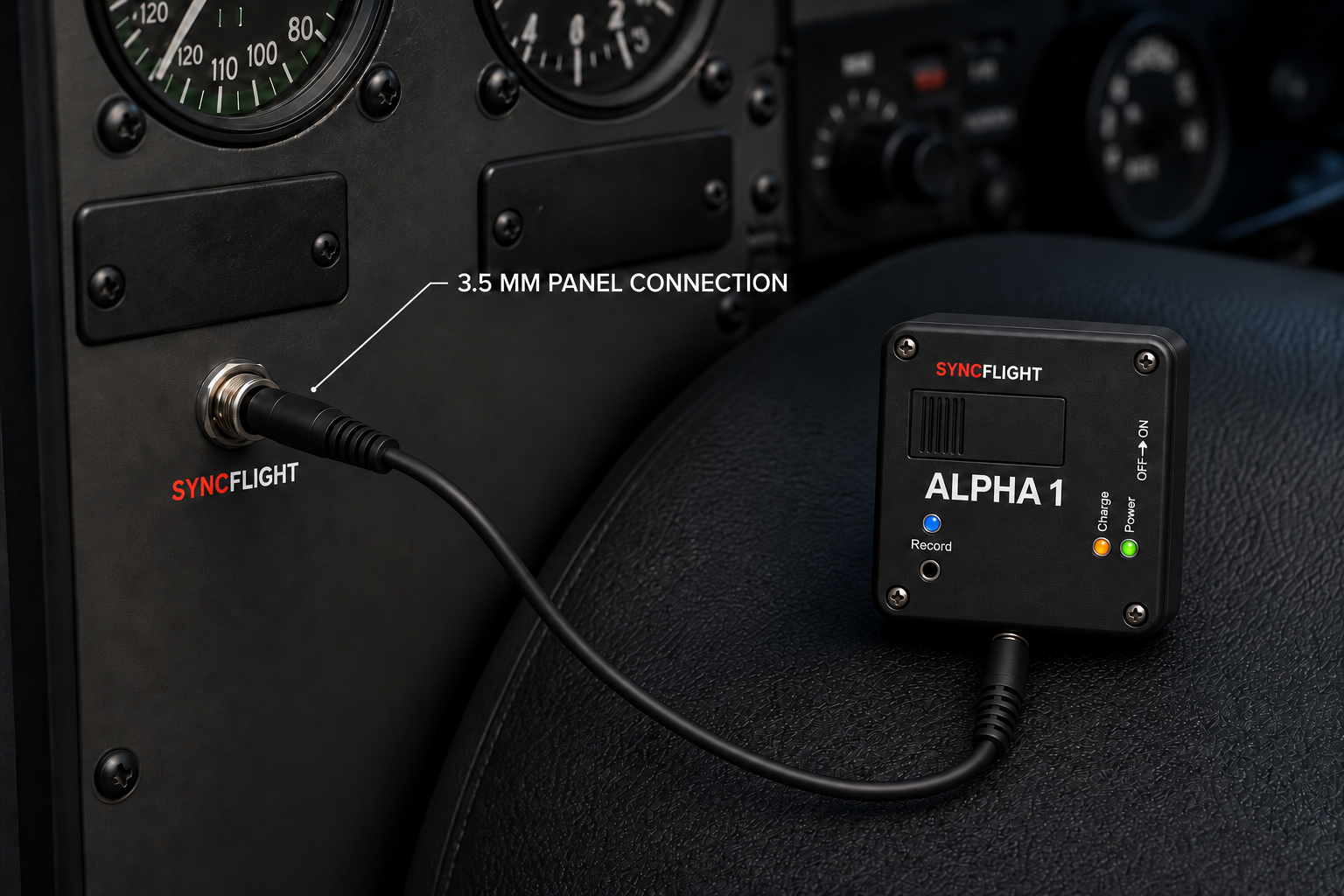
The optional pigtail provides a threaded, panel-mounted female 3.5 mm jack. A standard male 3.5 mm lead connects that jack to Alpha 1 whenever you want to record.
Plug one end of the 3.5 mm cable into the installed panel jack.
Plug the other end of the 3.5 mm cable into Alpha 1, then turn it on.
Press record. The blue LED confirms audio is being saved to the SD card.
Installation note: Any permanent aircraft installation should follow the aircraft’s maintenance requirements and applicable regulations.
Alpha 1 sends cockpit audio wirelessly to compatible Insta360 cameras so the sound is recorded directly with the video.
Plug the adapter into the aircraft headset jack, connect your headset to the adapter, and run the 3.5 mm cable from the adapter to Alpha 1.
Put the camera into pairing mode. Turn on Alpha 1 and pair it wirelessly with your compatible Insta360 camera.
Start recording on the camera. Alpha 1 transmits the cockpit audio so it is saved on the camera’s audio track with the video.
Follow the Alpha 1 campaign and be first in line when backing opens.
Visit the Kickstarter page →